Arvo
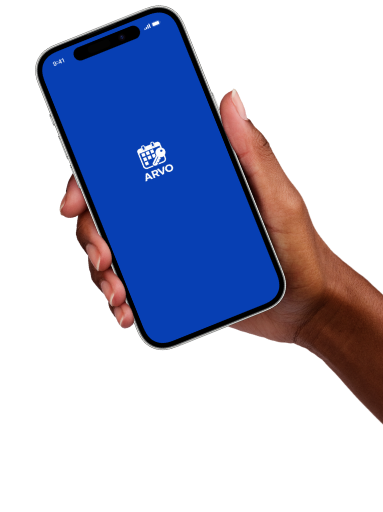
Arvo began as a university project exploring how a user interface could function as part of a broader digital ecosystem. Working in a team of two, we chose the workplace environment as our context and focused on the connected experience of managing and accessing shared office spaces.
The concept connects meeting room booking, workspace management, and access to reserved spaces for office employees and visitors. It aims to simplify room reservations and access while supporting better use of shared office spaces.
01 //
My Role
- Defining the overall service structure and establishing the conceptual foundation of the digital ecosystem
- Defining the two primary user roles: office employee and visitor, which formed the basis of the entire service journey, from booking a meeting room to accessing it
- Creating the key user scenarios and designing the first version of the digital key concept and its interaction logic
- Designing the initial structural wireframes for both user roles, helping to define the workflows for room booking, access control, and navigation throughout the system. These early concepts provided the foundation for the project’s further development and guided later design iterations
During the design phase, both team members explored alternative interface solutions. We compared our concepts, selected the strongest ideas for the overall product, and refined them collaboratively through an iterative design process.
02 //
Product Goals
- Reduce booking errors
- Simplify room access
- Support both employees and visitors
- Create a seamless booking experience
03 //
Service Flow
The service was designed around two user roles because employees and visitors interact with the office ecosystem in different ways and require different booking and access experiences. Office employees independently reserve meeting rooms, invite participants, and receive digital access before attending meetings.
Unlike office employees, visitors access meeting spaces through an invitation and a temporary digital key.
Office Employee
- Reserve room→
- Invite participants→
- Receive digital key→
- Open meeting room
Visitor
- Receive invitation→
- Open email→
- Receive digital key→
- Access meeting room
04 //
Key Design Solutions
- Clear booking flow for both user roles
- Easy meeting participant management
- Digital key for seamless access
- Intuitive, consistent interface design
Office Employee — Key Screens
Visitor — Key Screens
05 //
Outcome and Learnings
Project Outcome
- Designed consistent booking and access flows
Key Learnings
- Learned to design for multiple user roles
- Explored service ecosystem thinking
06 //
Prototypes
Office Employee
This prototype demonstrates how an office employee can quickly book a meeting room and manage the meeting experience efficiently.
- Search for available meeting rooms
- Select a suitable date and time
- Send invitations to participants
- Unlock the meeting room using a digital key
Visitor
This prototype demonstrates how an external visitor can access a meeting without the need for a complex sign-in process.
- Receive a meeting invitation by email
- View meeting details
- Get arrival instructions
- Use a digital key to access the meeting room